
HMI & CONTROL PANEL
An HMI and control panel is the operator’s window and the plant’s control hub — where PLC logic, drives and instruments meet a clear, safe interface. At ATMAN Group, we design, program and manufacture HMI and control panels in-house — as a single-window industrial automation partner since 2008, with AMUL-trained engineering leadership behind us.
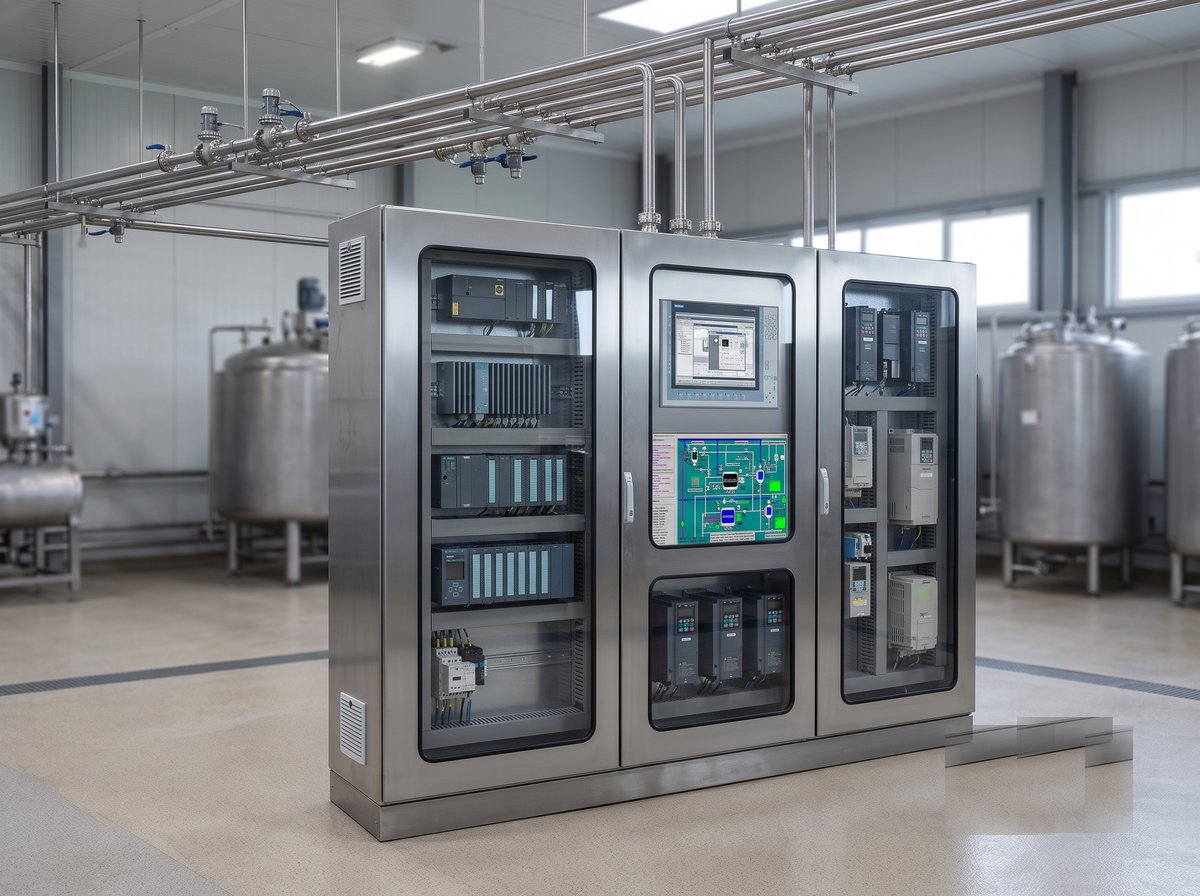
What We Deliver
Complete HMI and control panels: panel design and manufacturing, HMI screen development, PLC and drive integration, safe wiring and layout, and factory testing — delivered ready to install and commission.
Our HMI & Panel Scope
- HMI screen design and programming — intuitive, alarmed, operator-friendly.
- PLC and control panels manufactured in-house.
- VFD, relay and instrument integration with safe layout.
- Factory acceptance testing and documentation.
- Installation, commissioning and after-sales support.
Applications
- Dairy, food and process line operator stations.
- Machine and equipment HMIs.
- Utility, CIP and effluent control panels.
- Retrofit of legacy panels and interfaces.
Why ATMAN for HMI & Control Panels
- In-house panel manufacturing, programming and electrical under one roof.
- Single-window accountability from design to commissioning and support.
- Proven on turnkey dairy and process plants for cooperatives and NDDB-commissioned builds.
- ISO 9001:2015 certified, BIS-rated electricals.
HMI, SCADA or Panel — What You Are Actually Buying
These three get quoted against each other and are not the same thing. Getting the distinction right before you buy saves paying twice or, more often, buying one and needing another.
| What it is | Where it sits | Works when the network is down? | |
|---|---|---|---|
| HMI | Operator screen for one machine or area | On the panel door, at the equipment | Yes — it talks directly to its PLC |
| SCADA | Plant-wide supervision, history, alarms, reports | Control room PC or server | No — needs the network. See SCADA integration |
| Control panel | The enclosure, power and wiring the HMI is mounted on | Field or MCC room | N/A — it is hardware |
The practical rule: the HMI is what keeps the plant running when everything above it is unavailable. That is why it deserves proper engineering rather than being treated as a screen bolted to a door.
The Screen Is Part of the Safety System
An operator reads an HMI under pressure, at speed, at the end of a nine-hour shift, sometimes in poor light with wet hands. Screen design is not decoration — it is the interface through which someone decides whether to stop a process.
- Colour means state and nothing else. If red is used for a logo, a heading and a fault, red has stopped meaning fault. Calm screens where colour carries information beat colourful ones every time
- Abnormal must be obvious without reading. A supervisor walking past should see that something is wrong before understanding what
- Numbers with context, not bare digits. A value against its normal range and its direction of travel tells an operator something; 72.4 on its own does not
- Consistent placement across every screen — muscle memory is a safety feature, and inconsistency costs seconds exactly when seconds matter
- Touch targets sized for gloved hands, not for a designer’s mouse
- Confirmation on consequential actions, and no confirmation on routine ones — over-confirming trains people to tap through without reading
Screens in the Operator’s Language
This is routinely overlooked on Indian plants and it matters more than almost anything else on this page.
The engineer who commissions the plant reads English. The operator on the night shift at a district co-operative may not. When the screen says “Homogeniser discharge pressure low — check line strainer” and the operator cannot read it, the alarm has failed no matter how well it was configured.
- Multi-language screens — Hindi or Gujarati alongside English, switchable at the screen
- Alarm and prompt text translated properly, not machine-translated into something that reads as nonsense to a native speaker
- Icons and colour carrying meaning independently of text, so the screen works even for a reader who is struggling
- Training material in the language the training is delivered in
It costs very little at configuration time and is expensive to retrofit once several hundred alarm texts exist.
Navigation People Can Use Under Pressure
- A hierarchy, not a pile of screens — overview, then area, then equipment detail
- Any screen within two touches from the overview
- A fixed alarm banner visible on every screen, so an operator deep in a detail page still sees a new fault
- Direct navigation from an alarm to the equipment that raised it — this alone removes minutes from every response
- A home button that always works, from anywhere, including mid-dialogue
Recipes, Setpoints and Who May Change Them
The HMI is where the plant gets adjusted, which makes it where quality problems and disputes originate.
- Role-based access — operator, supervisor, engineer — with genuinely different rights, not a single shared password on a sticker
- Limits enforced by the system. If a temperature setpoint above a certain value would spoil product or breach a standard, the screen should refuse it rather than rely on discipline
- Changes logged — who, what, when, previous value. This settles arguments as often as it satisfies auditors
- Recipes selected, not typed. Free-entry of parameters that should be fixed is how a plant ends up making a product it did not intend
- A clear indication of which recipe is running, visible without navigating
Choosing the Hardware for the Environment
Dairy and food environments destroy equipment specified for an office. The selection is driven by where it lives, not by screen size preference.
| Condition | What it demands |
|---|---|
| Washdown areas | Appropriate ingress protection, sealed bezel, chemical-resistant front — a standard panel HMI will not survive daily hosing |
| High ambient temperature | Verified operating range, panel ventilation or cooling; heat is the most common cause of premature HMI failure in Indian plants |
| Direct sunlight | Screen readability under sun, or a resited panel — an unreadable screen is an unused screen |
| Vibration | Mounting and connector strategy |
| Gloved operation | Touch technology that works with gloves, and targets sized accordingly |
| Remote or unmanned areas | Whether a local HMI is warranted at all, or supervision belongs on SCADA |
Replacing an Obsolete Panel HMI
A common enquiry: the operator panel has failed, the model is discontinued, and the plant is running on one surviving unit.
- The project file may not exist. Screens frequently have to be rebuilt from photographs and operator knowledge — normal, and it is the reason a like-for-like swap is rarely as quick as it sounds
- Cutout and mounting rarely match between generations; panel modification is usually part of the job
- It is the right moment to fix the screens rather than faithfully reproduce twenty years of accumulated clutter
- Check what else is obsolete while the panel is open — a failing HMI is often the first visible symptom of a controller heading the same way. See Siemens PLC migration
- Back up the existing project first, if one can still be read out. Once the last working unit fails, that option is gone
How We Engineer HMI Applications
- Sit with the operators — what they actually watch, what they ignore, where they currently go wrong
- Screen hierarchy and navigation map agreed before any graphics are drawn
- A style standard — colours, symbols, layout, fonts, alarm presentation — applied consistently across every screen
- Build against the tag list, aligned with the PLC and SCADA naming so a value can be traced end to end
- Alarm text written to be acted on, in the operator’s language, saying what to check
- Test with operators before commissioning, not after
- Revisit after a fortnight of live running, when the screens people avoid have become obvious
On Siemens we work with the SIMATIC HMI range, WinCC and WinCC Unified. Ongoing cover is available under an automation support contract.
Frequently Asked Questions
Do you manufacture the panels yourself?
Yes — MCC/PLC/control panels are manufactured in-house, so quality and lead time are in our control.
Can you upgrade our existing HMI/panel?
Yes — we retrofit and upgrade legacy panels and HMIs with minimal downtime.
Are the panels compliance-ready?
Yes — BIS-rated electricals and standards-compliant design; audits pass first time.
Need an HMI and control panel for a new line or an upgrade? Share your requirement — our engineers will respond with a design, estimate and timeline. Explore our full Industrial Automation capabilities or request a consultation.
Discuss Your HMI & Control Panel Requirement
Send us your load list or process requirement and we will come back with panel general arrangement, wiring schematics and an indicative budget. Panels are built in-house, so drawing and build stay with one team.