
SCADA SYSTEM INTEGRATION
SCADA system integration unifies your PLCs, drives and field instruments into one real-time layer for monitoring, control, alarms and reporting. At ATMAN Group, we design and integrate SCADA systems in-house — as a single-window industrial automation partner since 2008, with AMUL-trained engineering leadership behind us.
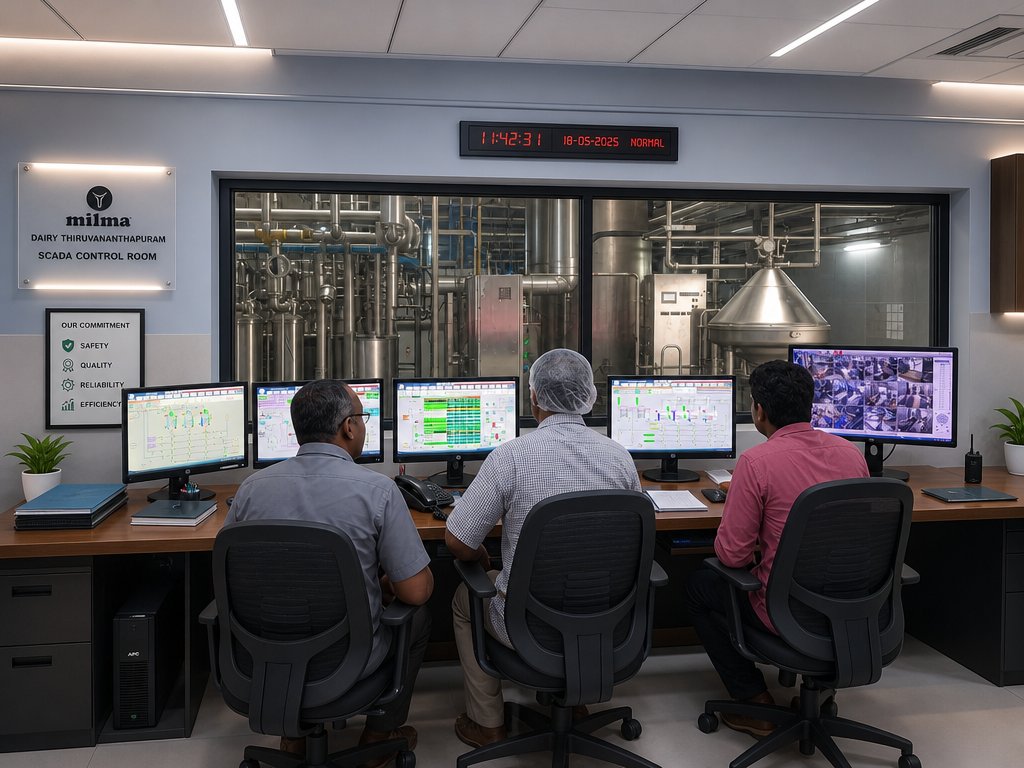
What SCADA Integration Delivers
A unified control and visibility layer: real-time dashboards, alarm management, historical trends, batch and production reporting, and secure remote access — integrated with your PLCs, VFDs and instrumentation for one source of truth across the plant.
Our SCADA Integration Scope
- SCADA/HMI architecture and screen development.
- PLC, VFD and instrument integration and I/O mapping.
- Alarms, trends, batch reports and production analytics.
- Historian, data logging and remote monitoring.
- Commissioning, operator training and support.
Applications
- Dairy, food and beverage process monitoring.
- Pharma and chemical batch control with traceability.
- Water/ETP and utility SCADA.
- Multi-line and multi-site plant dashboards.
Why ATMAN for SCADA Integration
- In-house programming, panels and electrical under one roof.
- Single-window accountability from architecture to commissioning and support.
- Proven on turnkey dairy and process plants for cooperatives and NDDB-commissioned builds.
- ISO 9001:2015 certified, documented and maintainable systems.
What “SCADA Integration” Actually Means
Buying SCADA software is procurement. Integration is the engineering that makes it work with the plant you already own — and that is where the cost, the risk and the value all sit.
A SCADA licence out of the box knows nothing about your plant. It does not know which tag is which vessel, what a normal temperature looks like, which alarm matters at 3 a.m. and which is noise, or how your operators actually run a changeover. All of that is integration work, and none of it comes in the box.
Talking to What Is Already Installed
Almost no plant is single-vendor. A working dairy or process plant accumulates equipment over twenty years, and integration means getting all of it onto one screen without replacing any of it.
| What is already there | How we reach it | Where the difficulty usually is |
|---|---|---|
| Siemens S7-1500 / S7-300 / S7-400 | PROFINET or PROFIBUS, direct | Straightforward — this is home ground |
| Third-party PLCs | Modbus TCP or OPC UA where the vendor exposes it | Tag documentation is often missing and has to be rebuilt by inspection |
| OEM machine controllers (fillers, packing lines, CIP skids) | Whatever the OEM exposes — often a restricted subset | The OEM may not want to share the tag list. Getting it is a commercial negotiation as much as a technical one |
| Drives and soft starters | PROFINET, Modbus, or hardwired signals | Deciding what is worth reading — a drive can expose hundreds of parameters and you need about eight |
| Energy meters | Modbus RTU or TCP | Physical wiring runs and meter addressing, rarely the protocol |
| Inline analysers, weighbridges, flow computers | Serial, Modbus, or vendor protocol | Scaling, units and update rates — a wrong scaling factor is worse than no reading |
| Truly legacy controllers with no data path | Gateway, or read the field signals independently | Sometimes the honest answer is a controller migration |
OPC UA is the usual bridge where mixed hardware has to coexist, and it is the right default for anything new. It is not universal — plenty of installed equipment predates it, and pretending otherwise leads to a nasty surprise at commissioning. We establish what each device can actually deliver during survey, in writing, before the architecture is fixed.
Architecture — Sized Honestly
Over-specified SCADA is a common and expensive mistake. So is under-specified. The decision follows from what the plant loses when the SCADA station is unavailable — not from what the brochure recommends.
| Architecture | Suits | What it costs you |
|---|---|---|
| Single station | One process area, one control room, plant survives on local HMI if SCADA is down | Lowest cost. No visibility during maintenance or a PC failure |
| Server with clients | Multiple control rooms, QC, maintenance and management needing views | Server sizing, licences per client, a real network |
| Redundant server pair | Continuous operation where losing supervision stops or endangers production | Roughly double the server cost — justified far less often than it is sold |
| Distributed / multi-site | Several plants or remote assets under one view | Telemetry design and store-and-forward become the hard part — see remote monitoring |
On Siemens we work with WinCC and WinCC Unified. Which one depends on the installed base, the client mix and whether browser-based access matters to you. We will state the reason for the recommendation rather than defaulting to the newest option.
The Alarm System Is Where Most SCADA Projects Fail
This is the single biggest difference between a SCADA that gets used and one that gets ignored, and it is almost never in the specification.
The default approach is to alarm everything, because it feels safe and it is easy. The result is an alarm list scrolling faster than anyone can read, on which every alarm is high priority. Operators do the only rational thing available to them: they stop looking. When the alarm that mattered finally arrives, it scrolls past with the other four hundred.
- Rationalise before configuring. Every alarm must have an operator action attached to it. If there is nothing for anyone to do, it is an event to be logged, not an alarm
- Priority discipline. If everything is critical, nothing is. Priorities are allocated deliberately, in a workshop, with your operators — not assigned by default
- Deadbands and delays on analogue alarms, so a signal hovering at setpoint does not generate a hundred entries an hour
- Suppression during known states — a vessel alarming empty during CIP is noise, and it teaches operators to ignore the list
- First-out and grouping, so a trip presents as one cause rather than forty consequences
- Shelving with a timer and a reason, so a nuisance alarm can be parked without being silently forgotten
- Measure it after commissioning. Alarms per operator per hour is a number with a target. If it is in the hundreds, the system has failed regardless of how good the screens look
Tag Standards and the Data Model
Unglamorous, done at the start, and it determines whether the system is maintainable in year five.
- A naming convention decided before the first tag is created — area, equipment, function, signal type. Retrofitting a convention onto 4,000 existing tags is a project nobody funds
- Engineering units and scaling documented, not carried in an engineer’s head
- Structured types so a valve is configured once and reused, rather than copied 200 times with 200 chances to differ
- Alignment with the PLC symbol table, so a tag traced from screen to controller to terminal is the same name throughout
- An exported, maintained tag list as a handover deliverable
The test of a data model is simple: a new engineer, on day one, with no help — can they find the tag for a specific field device? If not, every future change costs more than it should.
Historian, Reporting and the Route to MIS
Live screens answer what is happening now. Most of the commercial value is in what happened last month.
- Retention sized on purpose — high-resolution recent data, compressed history further back. Storing everything at one-second resolution forever is a cost with no return
- Batch and shift reports generated automatically, with deviations against recipe or limit flagged
- Audit-ready records — for a dairy, the CIP and pasteurisation history an inspector will ask for, retrievable in minutes rather than reconstructed
- Export to MIS or ERP on a defined interface, so production and consumption figures stop being retyped
- Energy against output, which is where the recoverable cost usually hides
Where the requirement is analysis and management reporting rather than plant supervision, a separate layer is often the better answer than pushing SCADA into a job it was not designed for — see plant dashboards and monitoring.
Screens Operators Actually Use
Screen design is treated as decoration and is actually ergonomics. A screen is read under pressure, at speed, by someone who has been on shift for nine hours.
- A hierarchy, not a pile — plant overview, then area, then equipment detail. Any relevant screen within two clicks
- Colour carries state, nothing else. If colour is used for decoration, it stops signalling. A calm screen where colour means something beats a colourful one
- Abnormal is visible from across the room — the point of an overview is that a passing supervisor sees trouble without studying it
- Trends beside values, because a number without direction is half the information
- Consistent placement and interaction across every screen — muscle memory is a safety feature
- Designed with the operators who will use it, and revised after they have run it for a fortnight
Security
A SCADA network is a control network. It deserves a straight answer rather than reassurance.
- Separation between control and business networks, not a flat network with SCADA attached to it
- Role-based access — operator, supervisor, engineer — with setpoint limits enforced by role, not by convention
- An audit trail on every setpoint and recipe change: who, what, when, previous value. This settles arguments as often as it satisfies auditors
- Remote access enabled when needed, not left permanently open, with sessions logged
- Backups of the SCADA project itself, restore-tested — the same discipline as PLC backups. See automation support
How an Integration Project Is Planned
- Survey. Every controller, protocol, network path and existing tag list. What each device can genuinely deliver, written down
- Functional design specification. Screens, alarms, users, reports, interfaces — signed off before configuration starts. This document is what makes acceptance objective instead of a matter of opinion
- Alarm rationalisation workshop with operations and maintenance in the room
- Tag standard and data model agreed and documented
- Configuration and internal test against simulated I/O
- Factory Acceptance Test — you witness it before it comes near the plant
- Site installation and Site Acceptance Test, phased by area where the process allows, with the existing system available until the new one is accepted
- Operator training on the real system, not a slide deck
- Handover — as-built screens, tag list, alarm register, backups, documentation
- Post-commissioning review after a few weeks of live running, when the real alarm behaviour and the screens people avoid have both become obvious
Where SCADA Ends and Other Systems Begin
These four get conflated in specifications and budgets, which is how projects end up with the wrong tool doing the wrong job:
| Layer | Job | Who uses it |
|---|---|---|
| PLC | Controls the process in real time. Runs whether anything above it exists | Nobody directly — it just runs |
| HMI | Local operation at the machine or panel. Works when the network does not | Operator at the equipment |
| SCADA | Plant-wide supervision, alarms, trends, recipes, operating history | Control room, shift in charge |
| MIS / dashboards | Analysis, KPIs, cost and management reporting | Plant head, management, board |
A frequent and expensive error is asking SCADA to be the management reporting system. It can export the data; it is not the place to analyse it. Keep the layers distinct and each one does its job properly.
For dairy-specific supervision — CIP circuits, pasteuriser and FDV proving, reception, batch genealogy — see dairy plant automation.
Frequently Asked Questions
Can you integrate SCADA with our existing PLCs?
Yes — we integrate SCADA with existing PLCs, drives and instruments, and can standardise multi-vendor systems into one dashboard.
Do you provide reporting and analytics?
Yes — batch reports, production analytics and historian data are part of our SCADA scope.
Is remote monitoring possible?
Yes — we implement secure remote monitoring and access where required.
Planning SCADA system integration? Share your plant and control setup — our engineers will respond with an architecture, estimate and timeline. Explore our full Industrial Automation capabilities or request a consultation.
Discuss Your SCADA Integration
Tell us which PLCs, drives and instruments need to talk to each other, and what you need to see and report on. We will come back with an integration scope covering screens, historian, alarms and trending.